Connect Google Account
No manual token handling, no repeated logins — the connection remains stable

Connect your Google account, manage reviews for all locations, and respond with AI — in your brand's tone, not like a bot
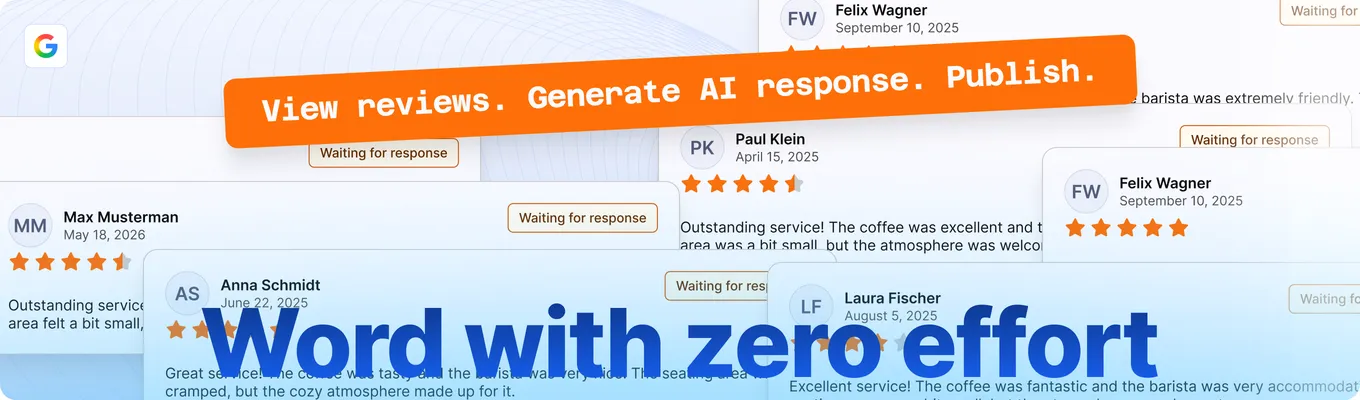
Responding to reviews takes time, appears unprofessional with poor responses — and simply falls by the wayside with high volume. The Google Review Manager changes that: with your account, your rules, your voice

 No repeated logins — your Google account stays securely connectedAI that sounds like you — no generic phrasesIndividual or bulk responses — as neededAll locations from your Google Business Profile at a glance
A clear, secure process — from linking your Google account to the published response
No manual token handling, no repeated logins — the connection remains stable

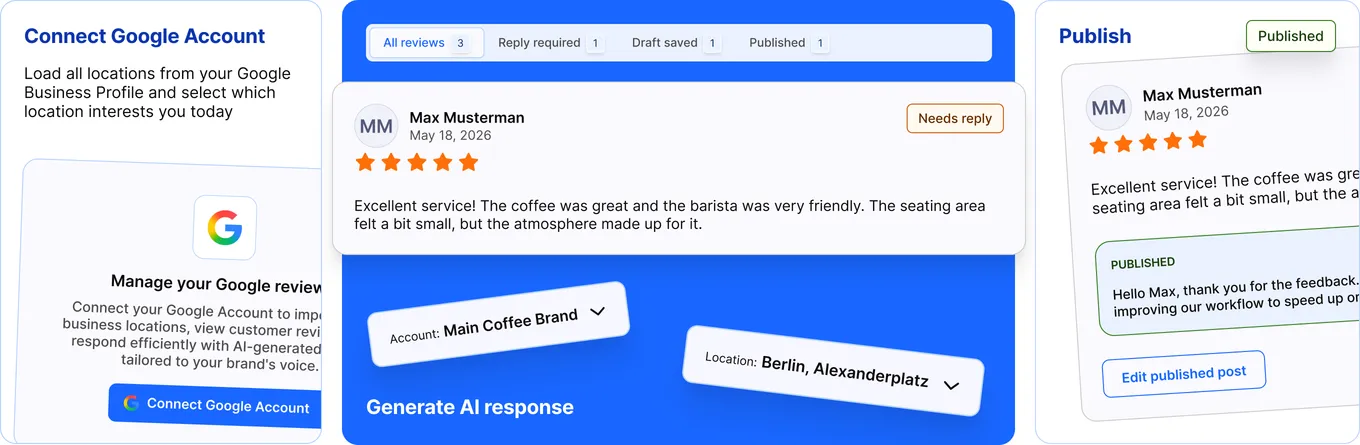
Load all locations from your Google Business Profile and choose which location interests you today
Send your response directly to Google. The system saves the status and shows you what has been successfully published — and what hasn't

Let the AI create a draft — for a single review or for many at once. Edit each draft before it is published

See ratings with name, star count, text, date, and response status. Filter by unanswered, low-rated, or recent entries

Save hours each week. AI drafts appear instantly — you review, adjust, and publish in seconds

No automatic publishing. Every AI response remains editable until you click "Publish"
Multiple branches, one place. Select the location, edit the reviews, switch seamlessly

Similar reviews receive similar yet personalized responses. The AI remembers your rules — every time

Many unanswered reviews? Select several, let drafts be generated for all, and publish in one go
Every response sounds like it was written by you — with the right phrasing, your tone, and no errors
Trusting a system with your Google account requires confidence. That's why we've built security into every step
Credentials are stored securely and are customer-specific. Tokens are automatically refreshed as long as Google allows it. If the connection expires, you will receive a clear prompt for re-authorization — no silent errors
It connects your own Google account with Seller2Go. After that, you can view all reviews of your Google Business locations, respond with AI, and send the responses directly to Google — without switching platforms.
No. The system securely stores your authorization and automatically renews tokens in the background. You only need to reconnect if Google itself requires re-authorization — for example, after a password change.
That is the core goal. You describe your style once: industry, tone, mandatory phrases, forbidden words. The AI combines these guidelines with the content of the review and creates responses that feel like you wrote them yourself — not like an automated bot.
No — never. Each AI draft remains in your queue until you approve it. You can edit the text, regenerate it, or discard it. Only when you click “Publish” is the response sent to Google.
Yes. After connecting your Google account, all locations from your Google Business Profile are loaded. You select the desired location, view its reviews, and can quickly switch between locations if needed.
The Google Review Manager is currently in active development. We are working on the OAuth integration, the AI configuration layer, and the publishing workflow. All active Seller2Go users will receive a notification as soon as it is ready.
We are actively working on the Google Review Manager. It will be available in a future update
 Try Now